
When Cazeus Casino will not load, a login fails, or a game freezes, it can be hard to tell whether the issue is with the casino, your device, or your internet connection. For players in the United Kingdom, there is an additional consideration: an online casino must be appropriately licensed to serve customers in Great Britain. This guide looks at common access problems, practical troubleshooting steps, and what to check before depositing or continuing to play.
The name GB Cazeus3 Portal may appear in searches or online discussions about accessing Cazeus. Treat unfamiliar links with caution: a phrase or portal name alone does not confirm that a site is official, safe, or authorised for UK players. Verify the web address and licensing information independently before entering personal or payment details.
First, work out what “not working” means
Different symptoms point to different causes. A blank page may indicate a browser, network, or service problem. A site that opens but rejects your login could involve incorrect details, an account security check, or a temporary authentication fault. If the lobby works but a particular slot or live game does not, the issue may be limited to the game provider or its software.
- The website will not open: check your connection and try another browser or device.
- The page loads slowly: close other data-heavy apps, switch networks, and retry.
- You cannot sign in: confirm your details and use the official password-reset process.
- A game freezes: leave the game, refresh once, and check whether the balance and round history updated.
- A deposit or withdrawal is pending: avoid repeating the transaction until you have checked its status.
Safe troubleshooting steps for UK players
Check the address and connection
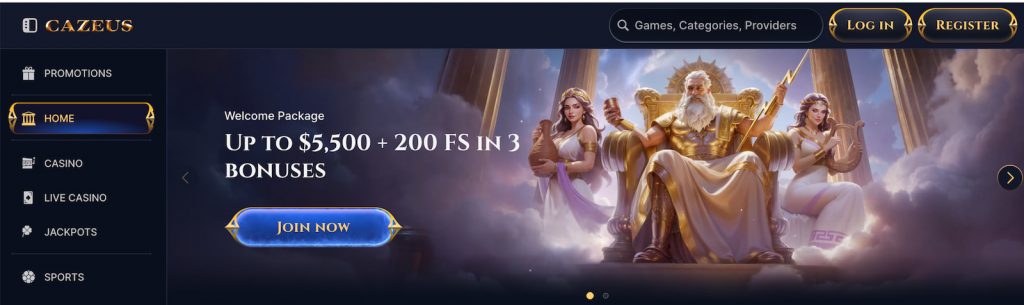
Start by confirming that you are using the casino’s legitimate website rather than an advert, copied link, or lookalike domain. Do not follow unsolicited messages claiming to restore access. Open a trusted bookmark or type the address you have independently verified. Then check whether other websites work on the same connection. If they do not, restart your router or switch between Wi-Fi and mobile data.
Refresh your browser environment
Update your browser and operating system, then close and reopen the browser. If the site still behaves unexpectedly, clear the site’s cached files and cookies; be aware that this may sign you out. You can also try a private browsing window or a different up-to-date browser. Disable extensions one at a time if they block scripts or interfere with page features; Do not install software offered by an unknown “support” page.
Check for account or location restrictions
Some services restrict access based on location, account verification, or regulatory requirements. Make sure your account details are accurate and that any requested identity checks have been completed through the official account area. Do not use a VPN or other method to bypass geographic restrictions: it could violate the casino’s terms or create problems with verification and withdrawals.
UK availability should not be assumed from a site loading successfully. Check the casino’s current legal and licensing information, including whether it is authorised to offer gambling to customers in Great Britain. The UK Gambling Commission’s public register is a useful place to verify an operator’s status. If you cannot establish that the service is authorised for your location, do not deposit.
Protect your balance if a game interrupts
If a round stops midway, do not immediately place another bet to “test” the game. Record the time, game name, stake, and any reference number shown. Sign out and back in only after checking that the session has ended safely. Review your transaction history and game history, then contact support through a channel listed on the verified website. Keep screenshots, but avoid sharing passwords, full card details, or one-time security codes.
Common causes and what to do
| Symptom | Possible cause | Practical response |
|---|---|---|
| Website unavailable on several devices | Service outage, maintenance, or a network-level issue | Wait briefly, check official status notices, and contact verified support if it continues |
| Website works, but login fails | Incorrect details, security lock, or account verification | Use the official reset flow and avoid repeated guesses |
| One game will not start | Game-provider fault, unsupported browser, or incomplete session | Try another supported device and report the game title and error message |
| Payment appears delayed | Bank processing, payment checks, or a pending transaction | Check both casino and bank records before attempting another payment |
What a Cazeus Casino review can—and cannot—confirm
A review can explain how to investigate access problems, but it cannot verify a live outage or guarantee that a particular Cazeus web address is currently operational. Website domains, ownership details, payment options, game availability, and terms can change. Treat old reviews and forum posts as background rather than proof of current status. The most useful evidence is recent information published through an independently verified official channel, together with current licensing details.
Before using any casino, read its terms for eligibility, identity checks, deposits, withdrawals, bonus restrictions, and complaint procedures. Promotional offers can have wagering requirements and other conditions; do not accept an offer unless you understand them. If a support agent pressures you to deposit more, disclose security codes, or pay a fee to release winnings, stop and verify the request independently.
When to contact support
Contact customer support if basic checks do not resolve the issue, particularly when money or an unfinished game round is involved. Use the contact details shown on the verified site, not a phone number or messaging account supplied by a stranger. Give a concise description: device and browser, approximate time, error message, affected game, and whether a payment or balance changed. Never send your password or full payment-card number.
If a dispute remains unresolved, keep copies of your messages and transaction records. Check the operator’s complaints process and the applicable UK regulatory information. If you believe a website is misleading you, handling data unsafely, or operating without the required authorisation, do not continue depositing while you investigate. UK players can consult the Gambling Commission’s guidance and relevant consumer-protection resources for next steps.
Questions and answers
Is Cazeus Casino down for everyone?
Not necessarily. A failed connection may be limited to one device, browser, or network. Test another trusted device and connection, and look for a current notice from a verified official source. Avoid unofficial “outage checker” links that ask you to sign in.
Should I keep refreshing if a game freezes?
No. A single refresh may be reasonable after checking that the connection has returned, but repeated refreshes or new bets can complicate an interrupted round. Note the details, review the game history, and ask support to investigate if the balance or result is unclear.
What should I do if a withdrawal is delayed?
Check the transaction status and the casino’s published processing terms. Confirm whether identity verification is outstanding, but submit documents only through a secure, verified account channel. Do not pay an unfamiliar person or third party to speed up a withdrawal.
Can a VPN fix access problems?
A VPN is not a recommended troubleshooting shortcut. It may violate the casino’s rules or conflict with location checks, and it does not establish that the service is authorised for UK players. Resolve ordinary network or browser faults without disguising your location.
Bottom line
If Cazeus Casino is not working, begin with simple browser and connection checks, then distinguish a site outage from a login, game, or payment issue. Protect your account, avoid unofficial links, and do not repeat a payment or bet when the status is uncertain. Most importantly, verify that the operator is currently permitted to serve customers in Great Britain before sharing personal details or depositing. If the service cannot be verified or support cannot account for money in your balance, pause play until the issue is resolved.